Bubble letters were probably the first “fancy” font you ever drew, puffed up in the margin of a school notebook. Graffiti fonts take that same fun and turn it into designs you can actually cut.
They’re everywhere on Pinterest right now: streetwear shirts, 90s-style birthday parties, skate stickers and bold name signs for teen bedrooms. The catch is that many graffiti fonts are so wild they’re hard to read, or so detailed that weeding them feels like a punishment.
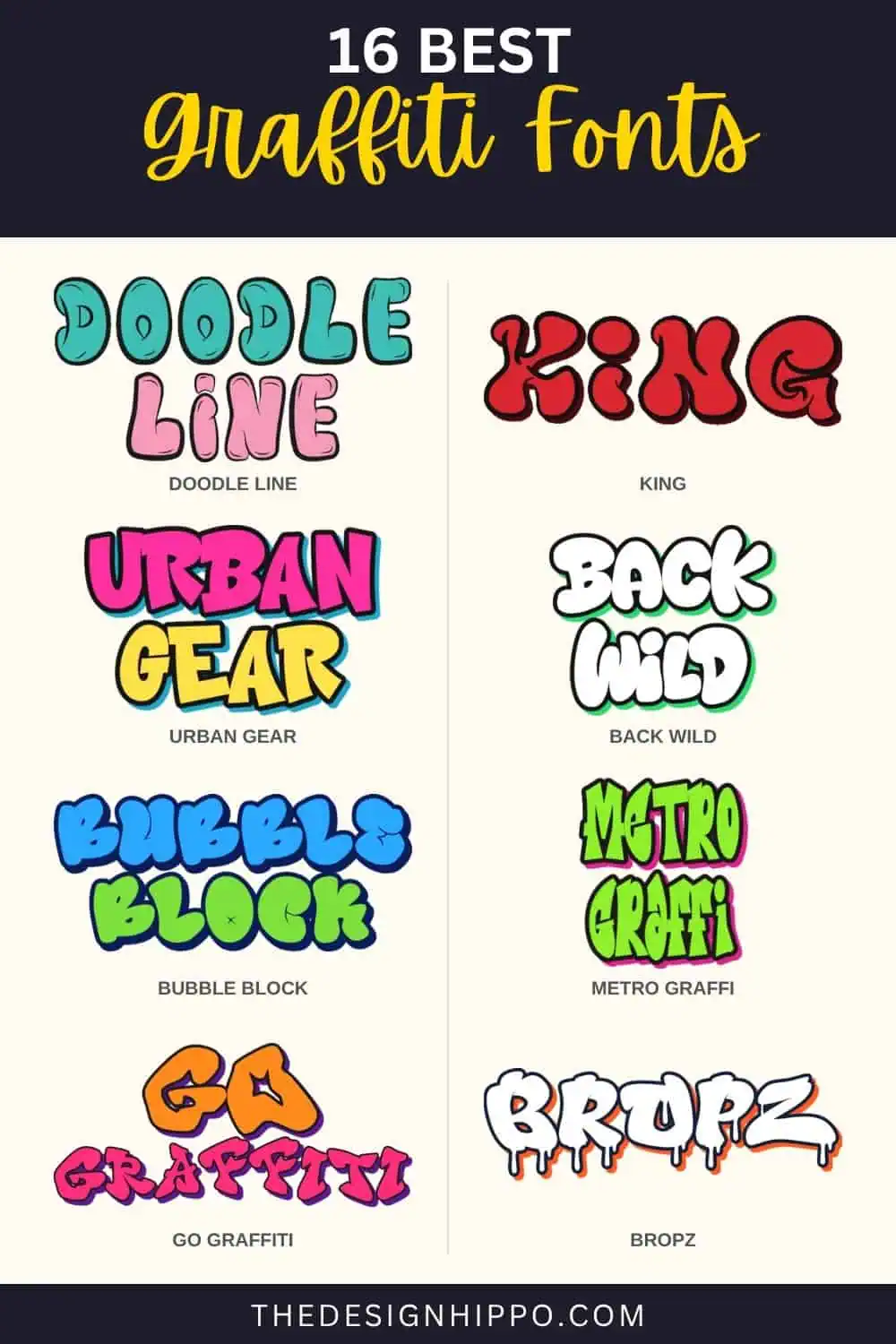
We looked through more than 150 graffiti fonts on Creative Fabrica and kept 16 that look great and still make sense for crafters. You’ll find chunky bubble letters, layered 3D fonts for multi-color vinyl, drippy spray-paint styles and a few tag fonts with real street attitude.
Best Graffiti Fonts – Our Top Picks
- Best Graffiti Overall – Doodle Line
- Best Font for Streetwear Designs – King
- Best Layered Graffiti Font – Urban Gear
- Best Chubby Bubble Letters – Back Wild
- Best 3D Bubble Font – Bubble Block
- Best Easy 3D Shadow Effect – Metro Graffi
- Best Slim Layered Font – Subway Ripple
- Best Bold Block Letters – Graffix Impact
Tip: Graffiti fonts can look very different with your own words. Type a name into our free Cricut Font Previewer to see which style is easiest to read before you download.
How to Choose the Best Graffiti Fonts for Cricut
Picking a graffiti font is all about what you’re making. Here are the key things to keep in mind:
1. Know the graffiti styles: Bubble letters are round and friendly. Layered or 3D fonts add shadows and outlines. Tag fonts look like quick marker signatures, and drip fonts add that wet spray-paint finish. Pick the style that fits the project and the person.
2. Use layered fonts for color: Layered fonts come as separate styles, like a solid fill, an outline and a shadow. Type the same word in each style, stack them and cut each layer in a different color of vinyl or HTV.
3. Size up the details: Drips, shine marks and inner shadows are tiny pieces to weed. Cut detailed graffiti fonts at 2 inches or taller, or switch to Print Then Cut for stickers and party favors.
4. Keep names readable: Wild, tangled letters look amazing on a poster but can be hard to read on a kid’s shirt. For names and birthday signs, a bubble font is usually the safer pick.
Best Graffiti Fonts
We compared each font’s preview, its styles and layers, and how many crafters have saved it, then picked fonts that each bring something different to the wall. Here are our favorites:
Doodle Line
Best Graffiti Font Overall
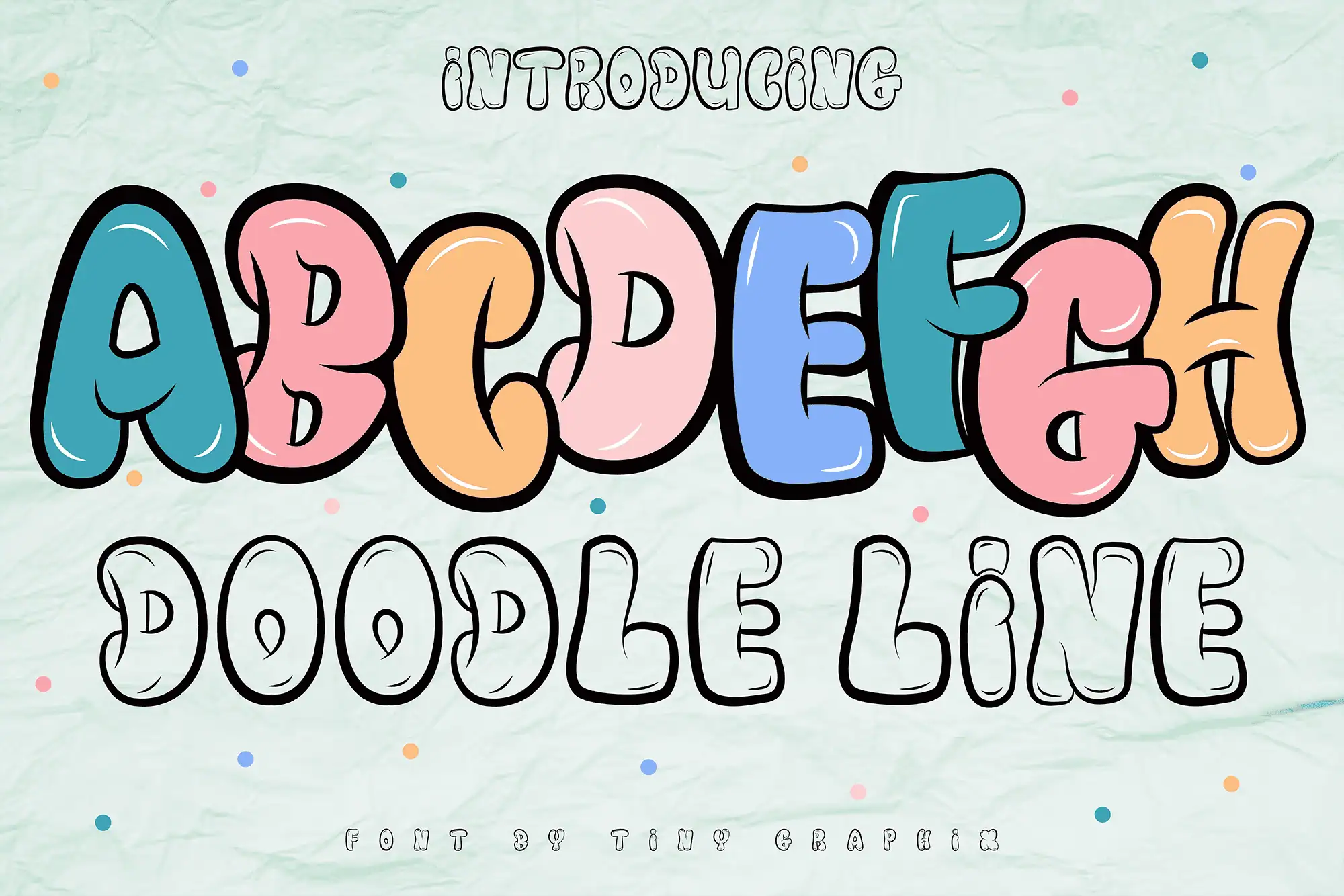
Doodle Line is a fun bubble graffiti font with puffy, rounded letters and a hand-drawn outline. It’s the most loved font on this list by far, with almost 2,500 favorites and a 5-star rating from 13 reviews.
The preview pairs bright, filled-in letters with an outline-only version, so it suits both colorful stickers and coloring-page style designs. Use it for kids’ party signs, game night shirts and cartoon logos.
King
Best Font for Streetwear Designs
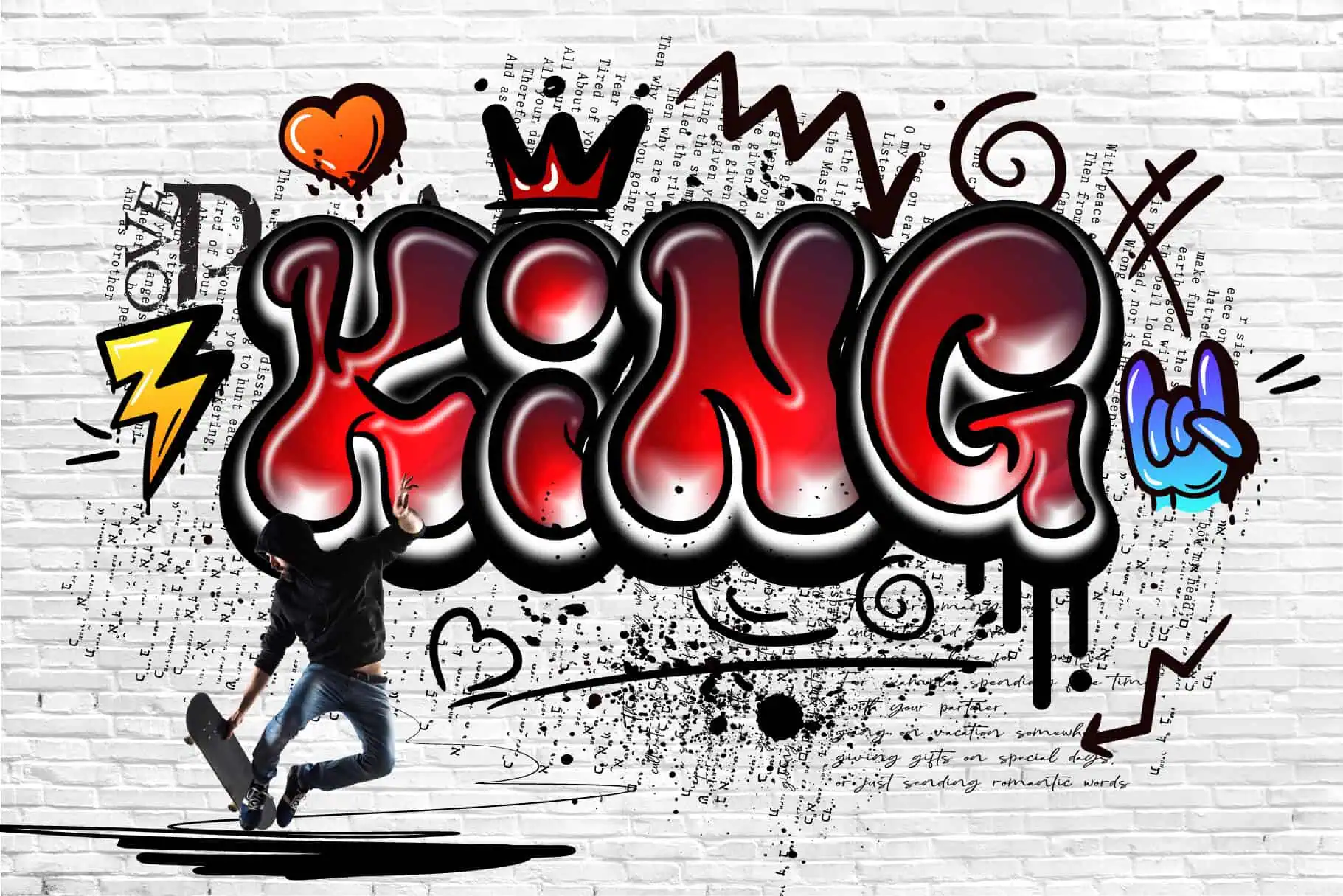
King is a bold graffiti font with rounded, bouncy letters and thick outlines. It has more than 700 favorites and a 5-star rating.
It’s made for statements, so try it on hoodies, skate stickers and posters. The thick strokes are easy to weed, and the outlined look makes a great two-color HTV design.
Urban Gear
Best Layered Graffiti Font
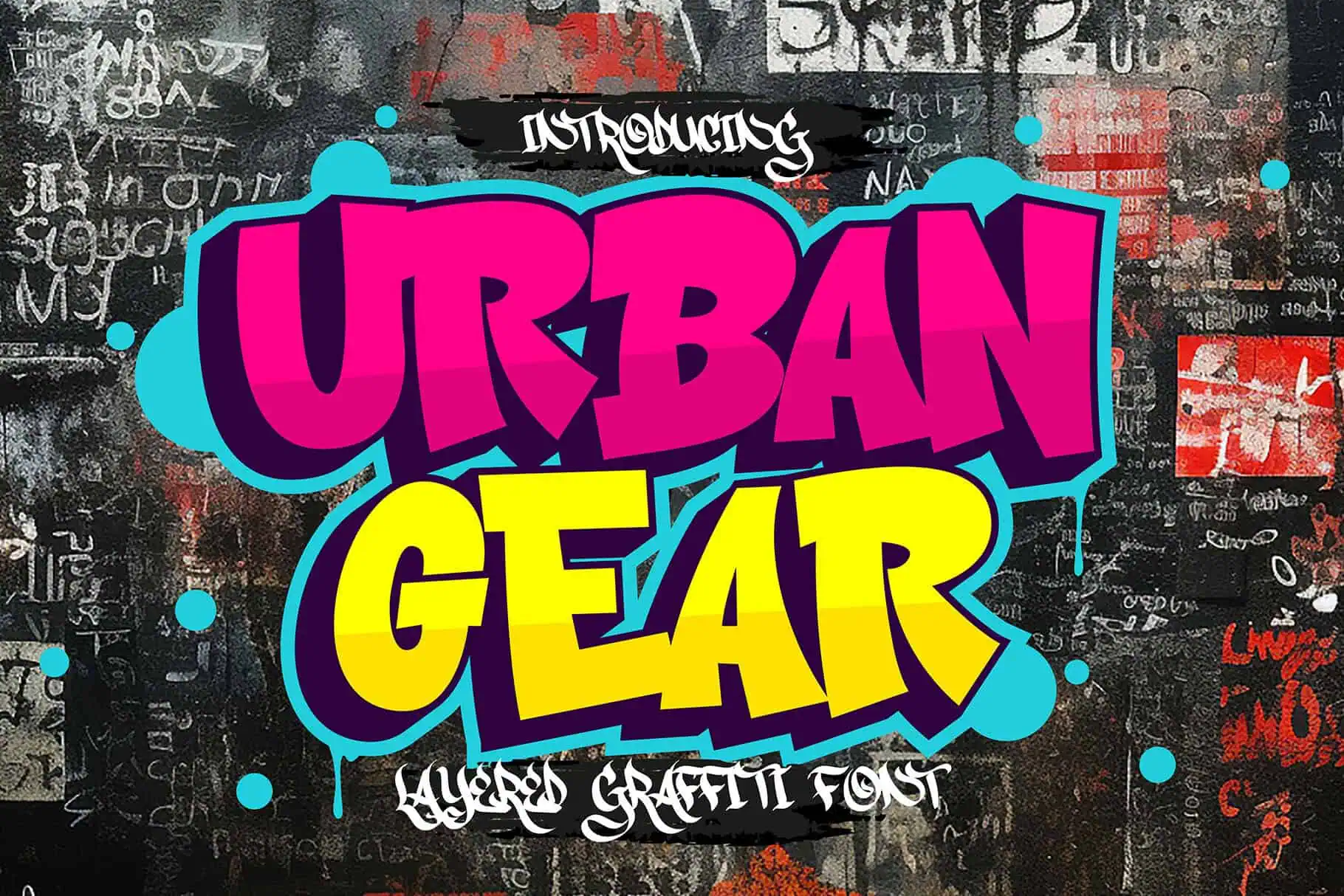
Urban Gear is a bold, layered graffiti font with a textured spray-paint feel. Each layer adds depth, and it has a 5-star rating from 6 reviews.
Stack the layers in different colors for a real wall-art look on shirts, tote bags and signs. The textured details look best printed, so use sublimation or Print Then Cut when you want the full effect.
Back Wild
Best Chubby Bubble Letters
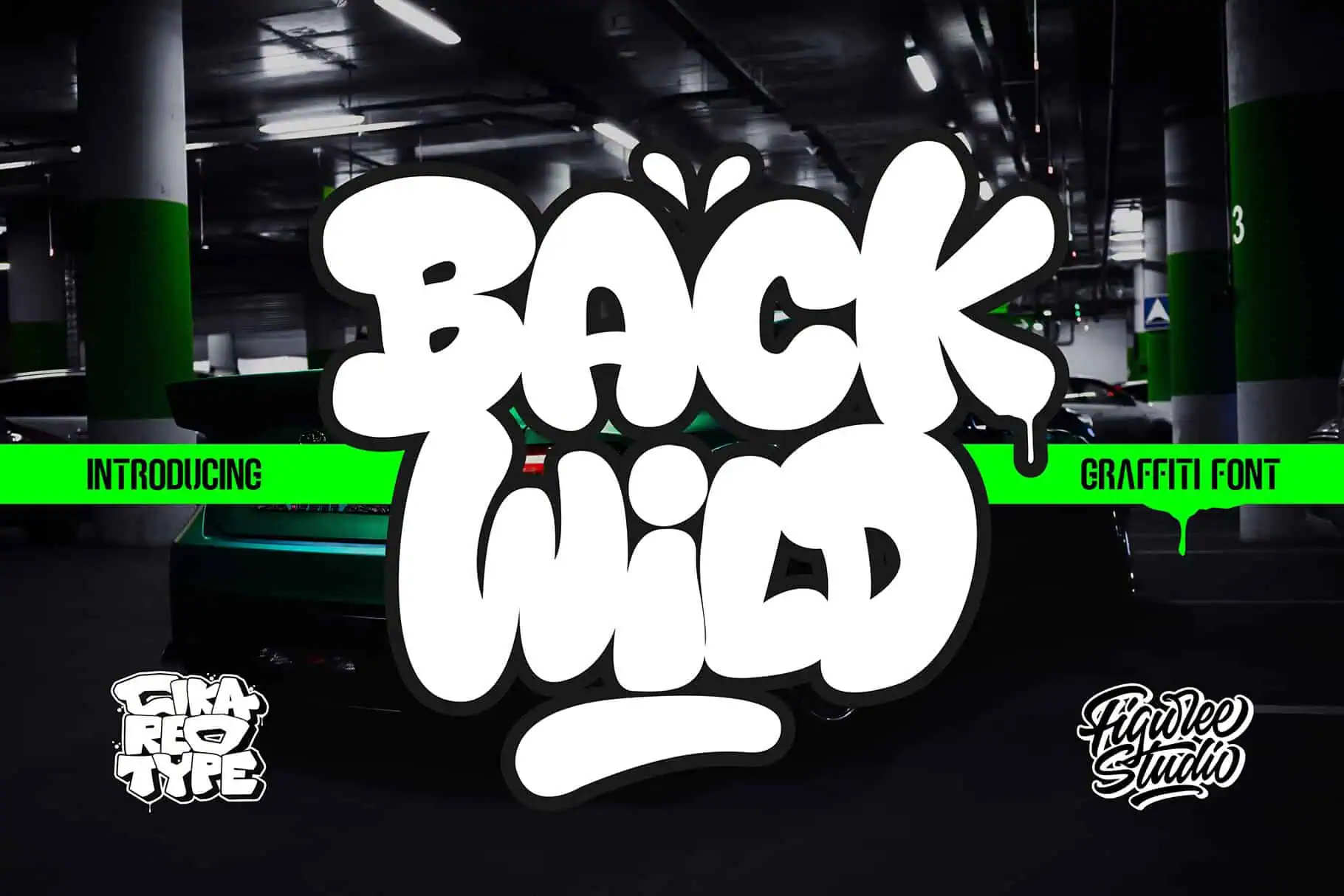
Back Wild is a big, chubby bubble font with playful swash characters for extra tails and flair. It has nearly 400 favorites and a 5-star rating from 5 reviews.
Its fat, rounded letters are some of the easiest on this list to cut and weed. Use it for names on tumblers, teen bedroom signs and sweatshirts.
Bubble Block
Best 3D Bubble Font
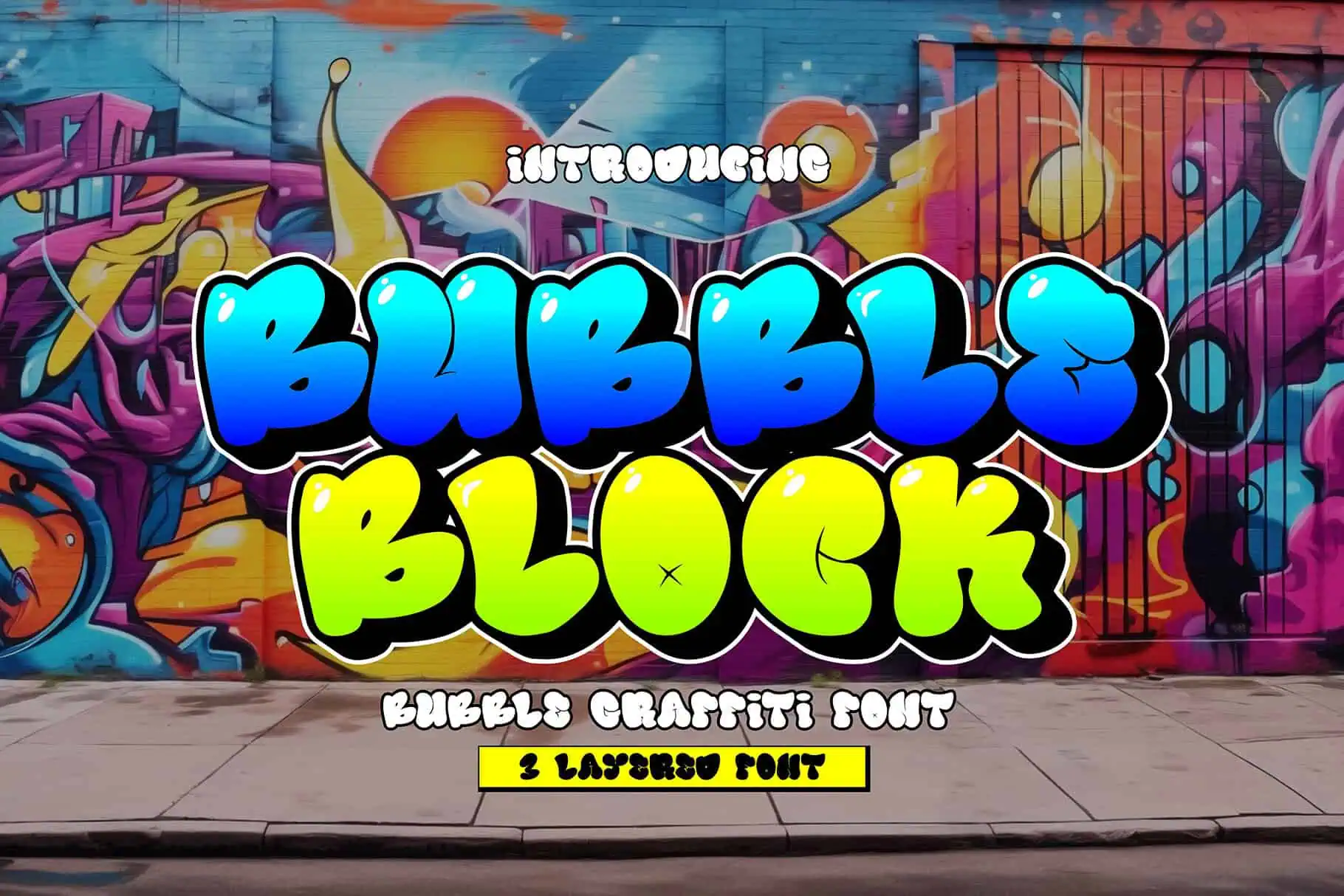
Bubble Block is a 3D layered bubble font with three styles: solid, shadow and inner shadow. Put them together and your letters look like they’re popping off the wall.
Cut each style in a different color of vinyl and layer them for a bright, dimensional decal. It also makes eye-catching birthday banners and cake toppers.
Metro Graffi
Best Easy 3D Shadow Effect
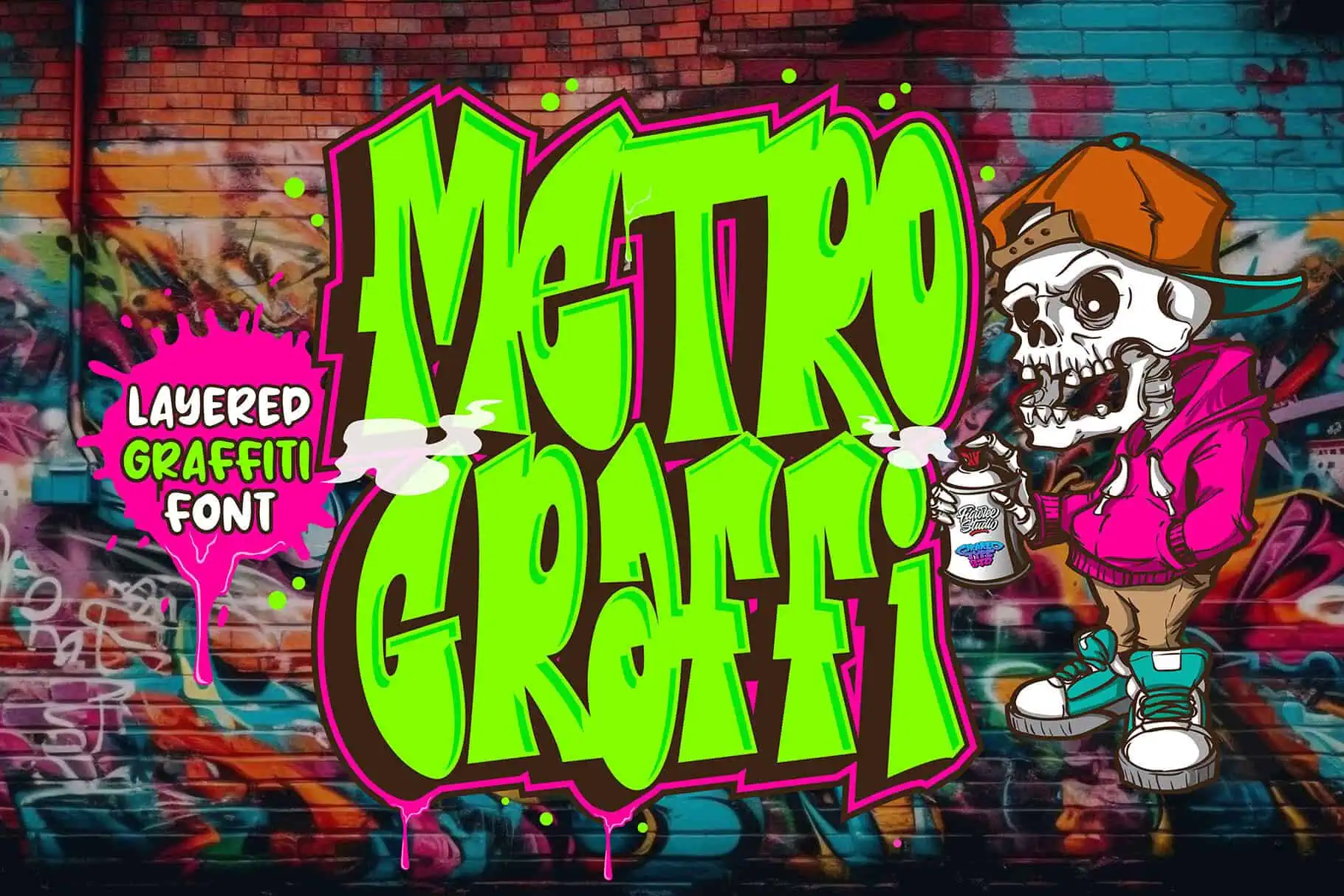
Metro Graffi is a sharp, slightly bold graffiti font with two styles: Regular and Shadow. Layer them and you get an instant 3D effect.
With only two layers, it’s a great first layered font if you’re new to multi-color HTV. Try it on shirts, logos and gaming posters.
Subway Ripple
Best Slim Layered Font
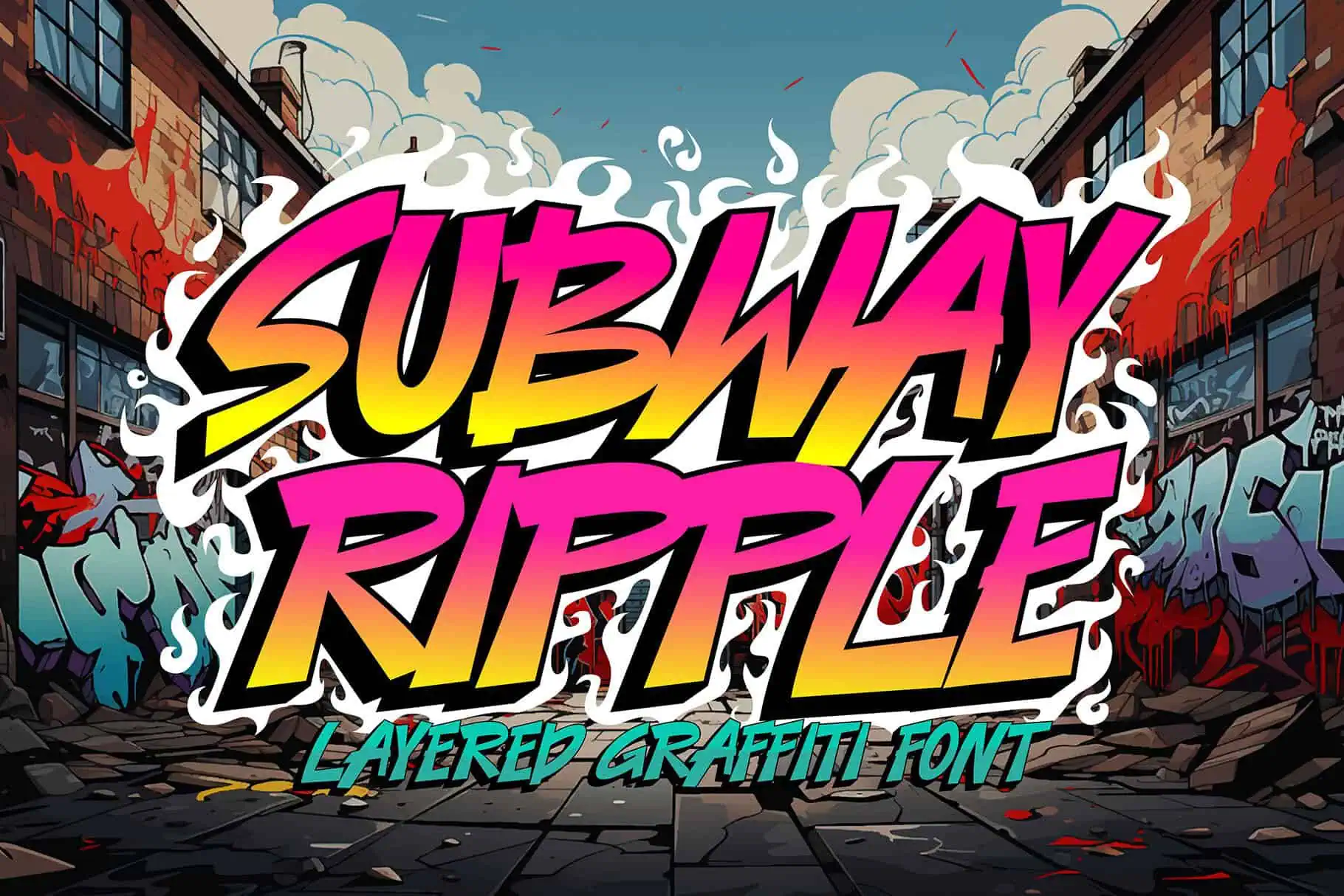
Subway Ripple is a slim, layered graffiti font with sleek lines and a clean, modern street-art look. It has a 5-star rating on Creative Fabrica.
Because the letters are narrower, you can fit longer words and names on a shirt or sign. Cut the layers at a larger size so the thin outlines stay crisp.
Graffix Impact
Best Bold Block Letters
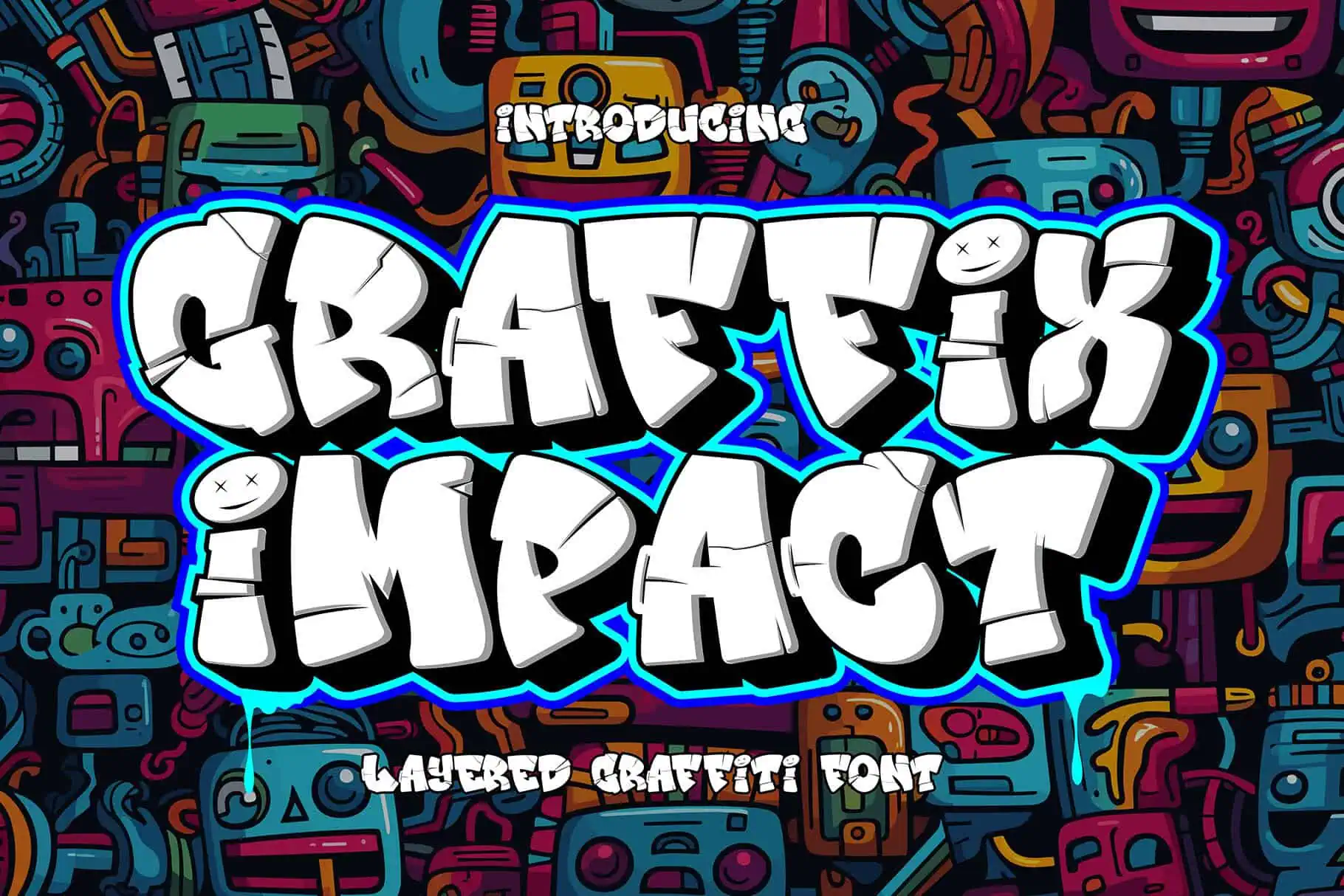
Graffix Impact is a 3D layered graffiti font with chunky block letters and stylish breaks cut into the characters. It has a 5-star rating from 2 reviews.
The breaks give it a stencil-like edge that looks great on signs, posters and gym shirts. Keep words short and big for the most impact.
Graffiti Giggle
Best Graffiti Font for Kids
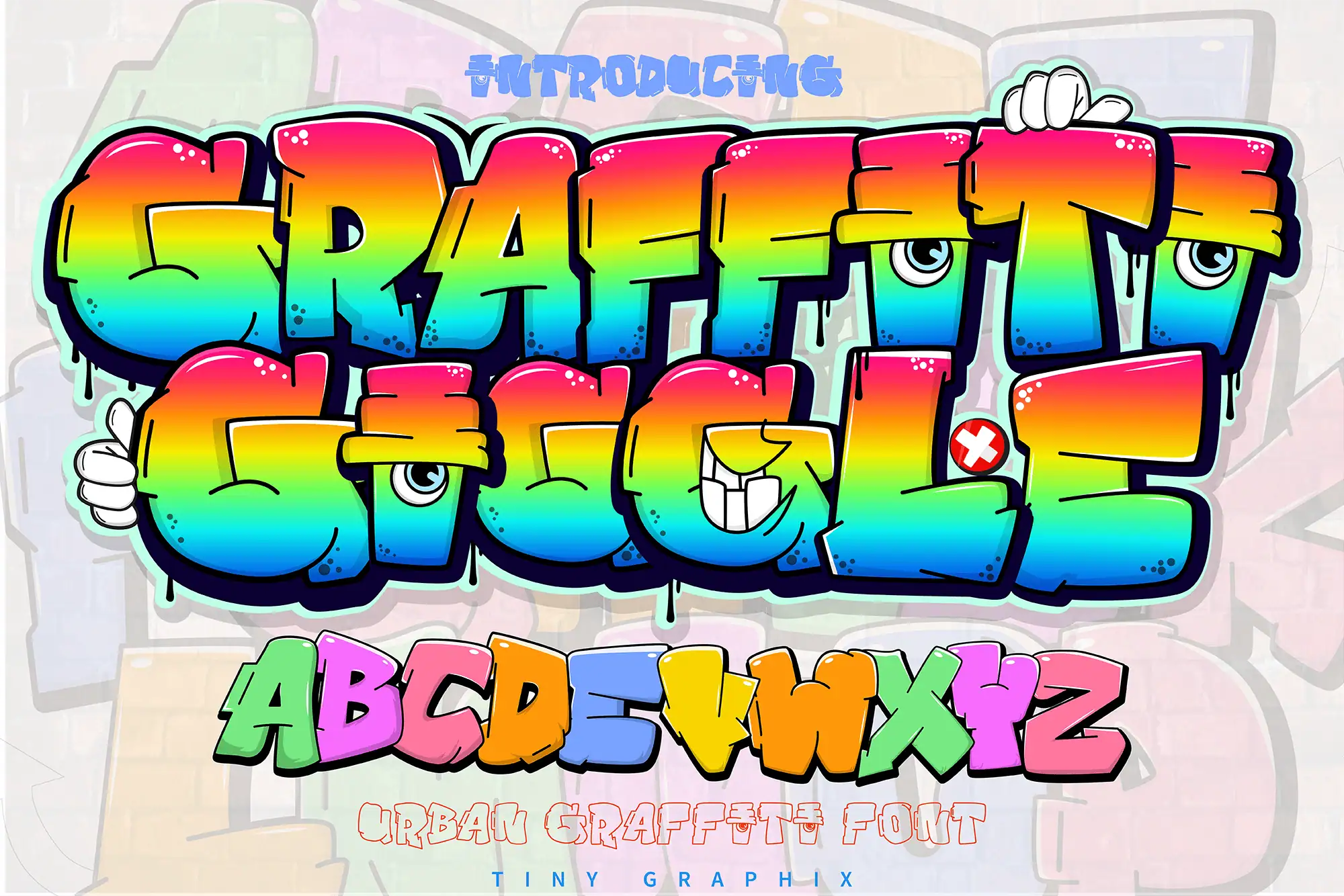
Graffiti Giggle is a bold, cartoon-style bubble font with cartoon eyes, comic accents and spray-paint drips. It includes uppercase and lowercase letters and numbers.
It’s made for fun: kids’ party invitations, game titles, YouTube graphics and stickers. The little details are best printed, so it’s a great match for Print Then Cut.
Smashing Bubbles
Best Bubble Font Family
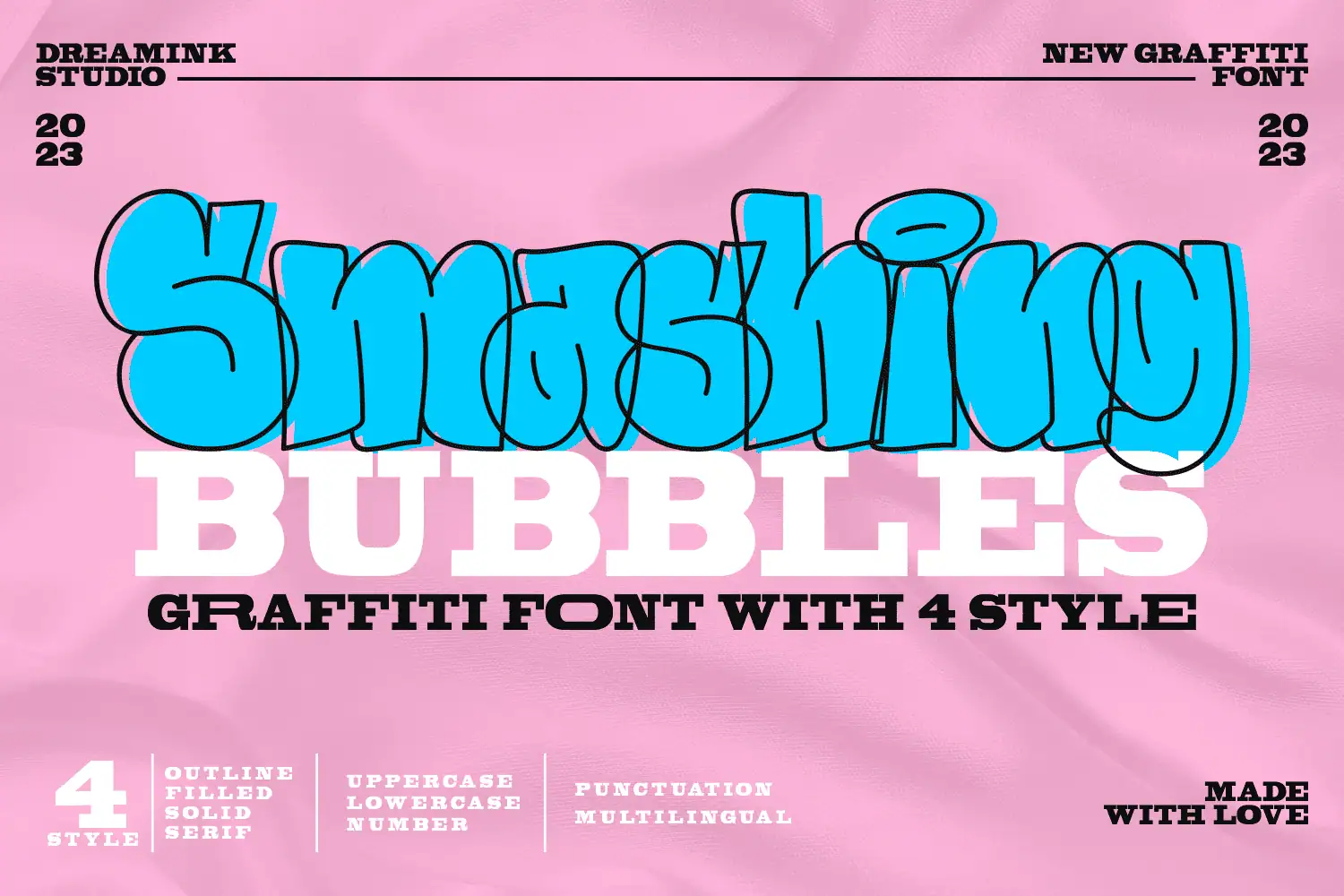
Smashing Bubbles is a playful, curvy bubble font that comes in four styles: Outline, Filled, Solid and Serif. Every letter has a hand-drawn bounce to it.
Mix the styles in one design, like a filled word on top and an outlined word below. It works well on headlines, logos, posters and party shirts.
Go Graffiti
Best Classic Spray-Paint Look
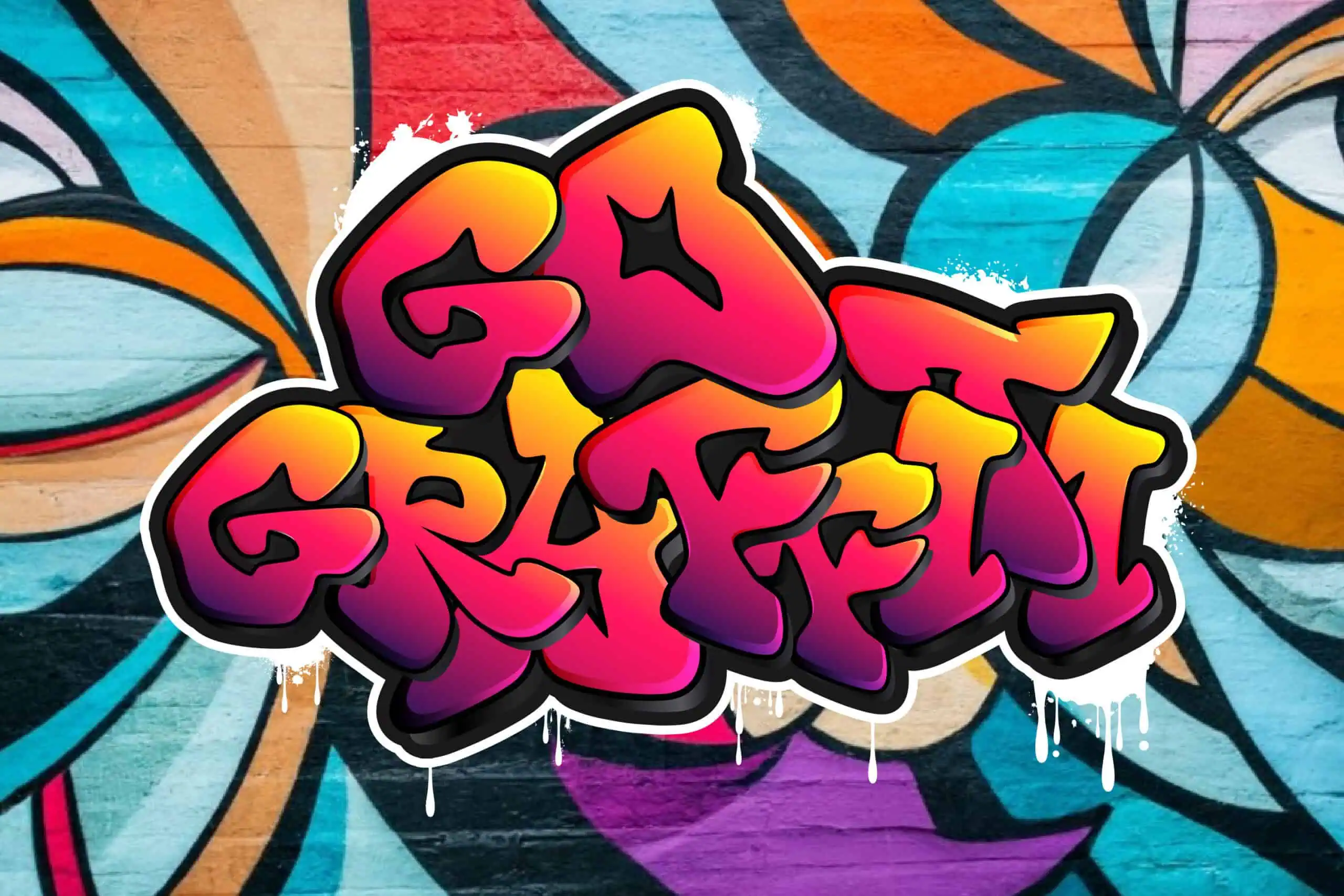
Go Graffiti has the classic spray-can look: fat, tightly packed letters with sharp points and drips. It’s the style most people picture when they hear the word graffiti.
Use it for hip-hop party flyers, streetwear and wall art prints. Its letters overlap, so weld them in Design Space before cutting.
Bropz
Best Drip Font
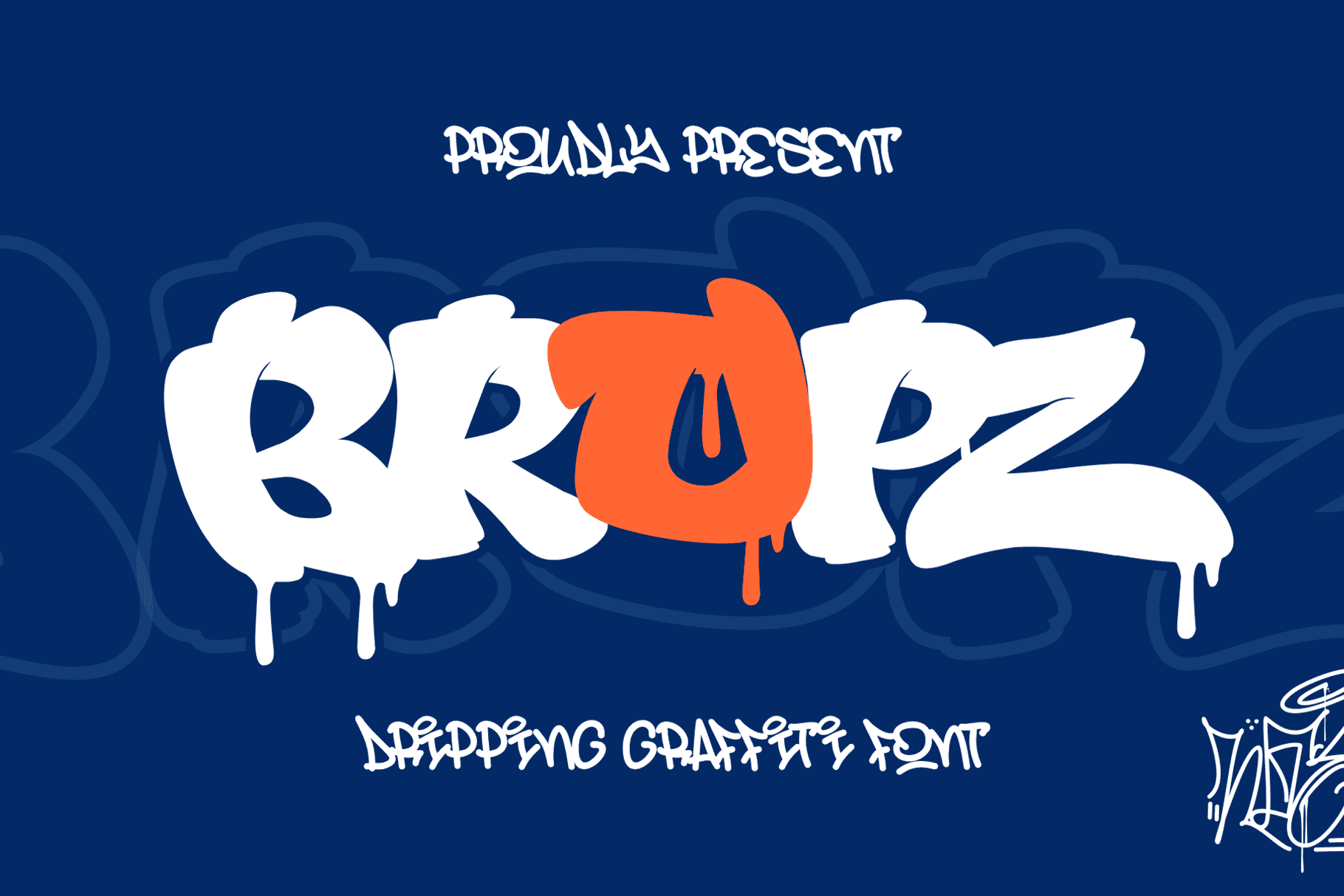
Bropz is a bold dripping graffiti font with thick, rounded strokes and drips on every letter. It comes in three styles: Regular with drips, Regular without drips and Outline.
Use the drip style for Halloween shirts, slime party signs and album-style posters. The no-drip version is handy when you need something cleaner for small text.
Rhinos Pero
Best Quirky Handstyle
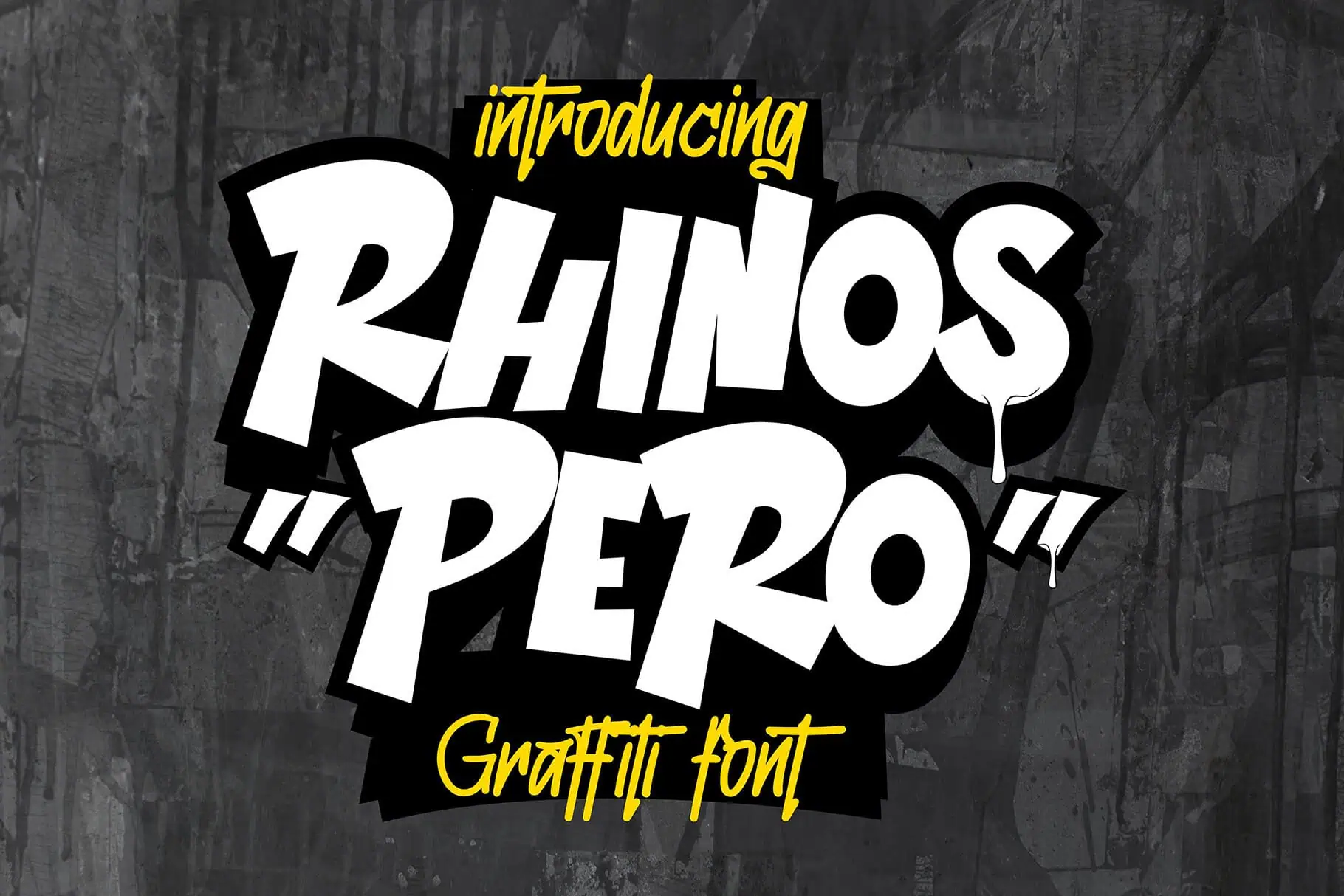
Rhinos Pero is a quirky, brushy graffiti font with irregular letters that look hand-painted. It has a 5-star rating on Creative Fabrica.
It’s full of personality, so let it shine on short words and quotes. Try it on stickers, phone grips, skate decks and band-style shirts.
Wofline Graffiti
Best Tag Font
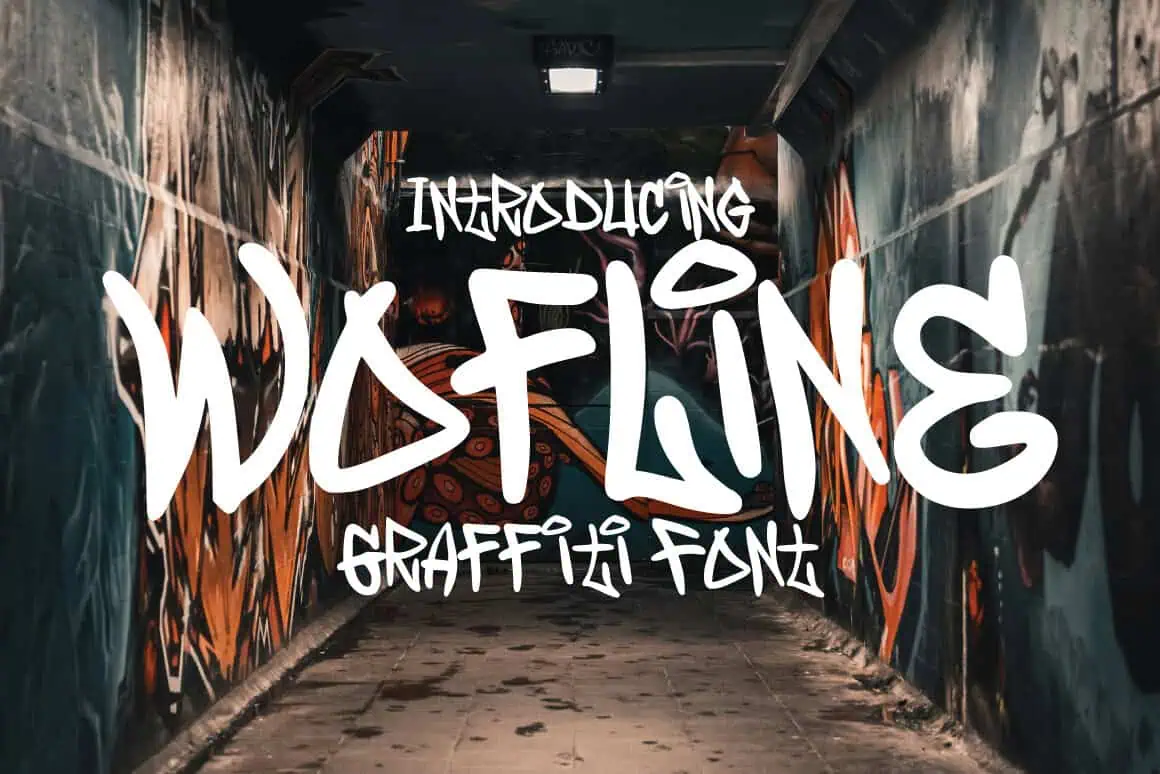
Wofline Graffiti is inspired by street calligraphy and graffiti tags. It comes with 130+ glyphs, including swashes, stylistic alternates and ligatures.
Use the alternates to make a name look like a real hand-signed tag. The strokes are thinner than bubble fonts, so cut it bigger or use it in printed designs.
Dopa Stich
Best Brush Marker Font
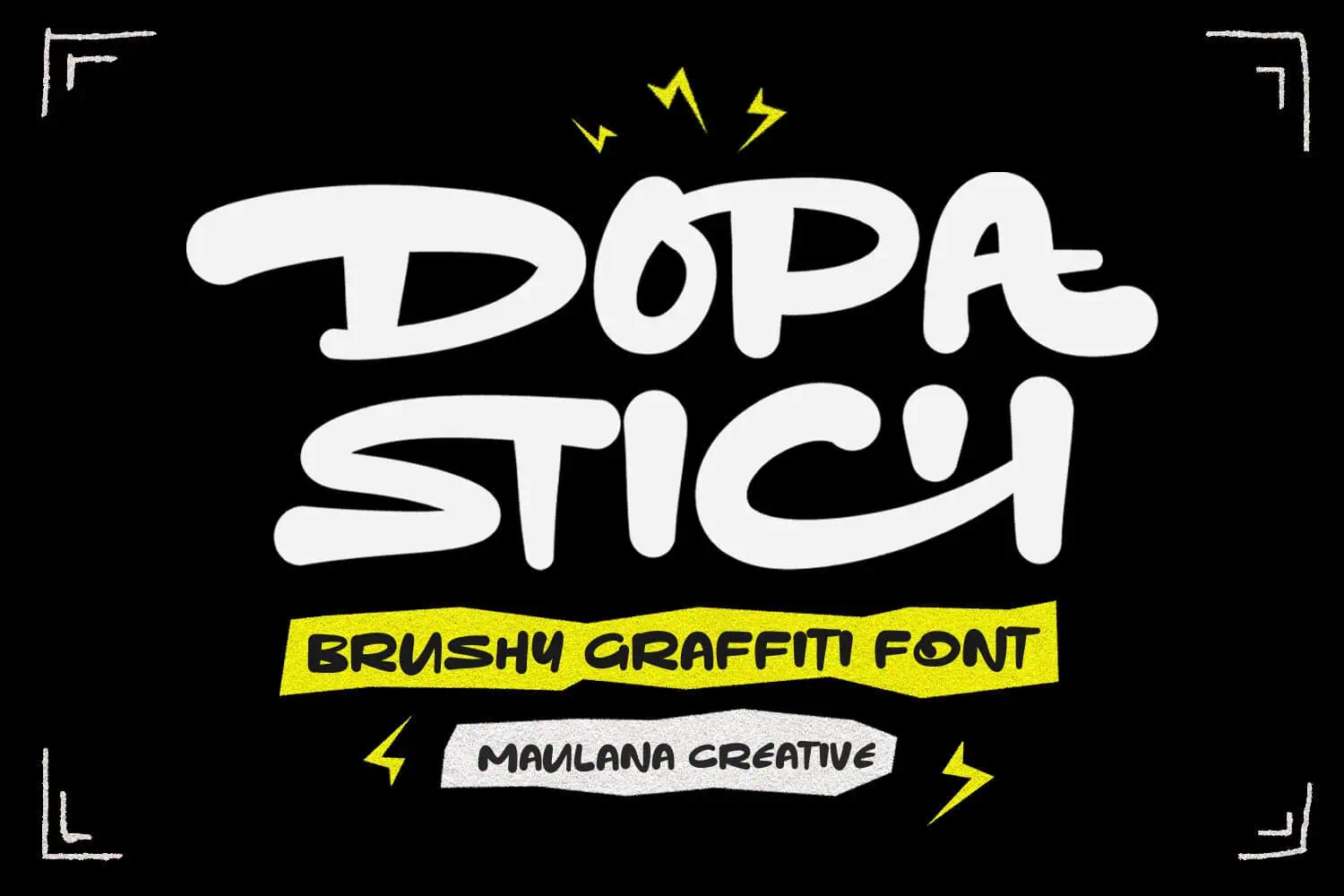
Dopa Stich is a brushy graffiti font with chunky, expressive letters that look like they were painted with a fat marker.
It’s a great fit for streetwear, skate designs and album-cover style graphics. The bold strokes cut cleanly in HTV, so it works well on shirts and hats.
Vabioxe
Best Monoline Tag Font
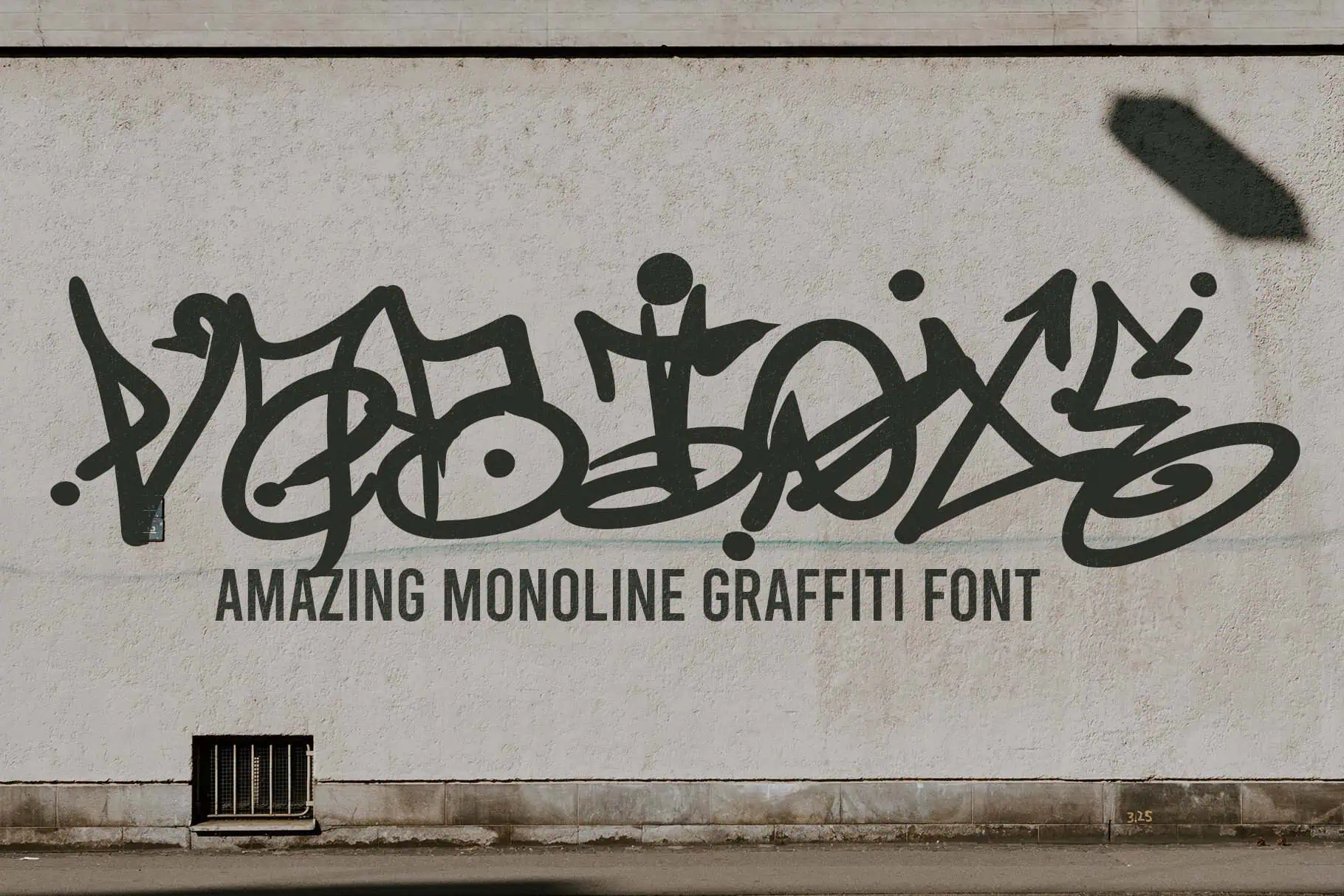
Vabioxe is a monoline graffiti font, which means every stroke is the same width. It gives you a quick, tagged look without the heavy outlines.
Use it for labels, packaging, logos and shirt designs. It’s a nice change of pace next to the chunkier bubble fonts, especially for small text.
Graffiti Fonts FAQs
What is the best graffiti font for Cricut?
Doodle Line is our top pick because its puffy bubble letters are easy to read and fun for all ages. If you want a multi-color layered look, try Urban Gear or Bubble Block.
How do I use a layered graffiti font in Cricut Design Space?
Install every style of the font, then type the same word once for each layer. Change each text box to a different style, give each one a color and line them up on top of each other.
Cut each layer separately, then press or apply them from the bottom layer up. Our guide on how to use Slice in Cricut Design Space can help you tidy up overlaps.
Can I make graffiti stickers with these fonts?
Yes! Bubble fonts like Doodle Line, Graffiti Giggle and Back Wild make fantastic stickers. Design them in Cricut Design Space and use Print Then Cut on printable sticker paper. Find more projects in our Cricut sticker ideas.
Can a Cricut pen draw graffiti fonts?
A Cricut pen traces the outline of most fonts, so bubble letters come out as outlined shapes, which can look really cool. For true single-line lettering, check out our writing fonts for Cricut.
Are these graffiti fonts free?
All 16 fonts are on Creative Fabrica and are free with your first downloads there. Each one includes a commercial license, so you can use them on items you sell.
Final Thoughts
Graffiti fonts bring loud, happy energy to everything from a toddler’s birthday shirt to a teen’s bedroom wall.
Start with a bubble font like Doodle Line, add a layered font when you’re ready for multi-color vinyl, and keep a tag or drip font for when you want real street style. Need more shirt-ready options? Check out our best t-shirt fonts. Happy crafting!
